

October 2026: push your site's design further
Blog, product pages, checkout, customer area: you now design them all from Themes. Your site displays up to 34% faster, the dashboard gets a makeover, Assistant Vivlab gets smarter and the editor brings animated effects and emoji rain.
At a glance
- Themes: every page of your site you can design on a single page, with its preview and status.
- Faster site: pages up to 34% faster, up to 10 more points on the Core Web Vitals performance score, 43% less code to load and images in the right format and size.
- Dashboard: easier-to-read lists, detail windows organized in cards, settings pages with a clear status and a choice of the customer emails you receive a copy of.
- Assistant Vivlab: a more capable AI model that carries out more actions for a single request.
- Effects: animated effects and emoji rain in the editor, custom cursors for everyone.
Tailor-made themes
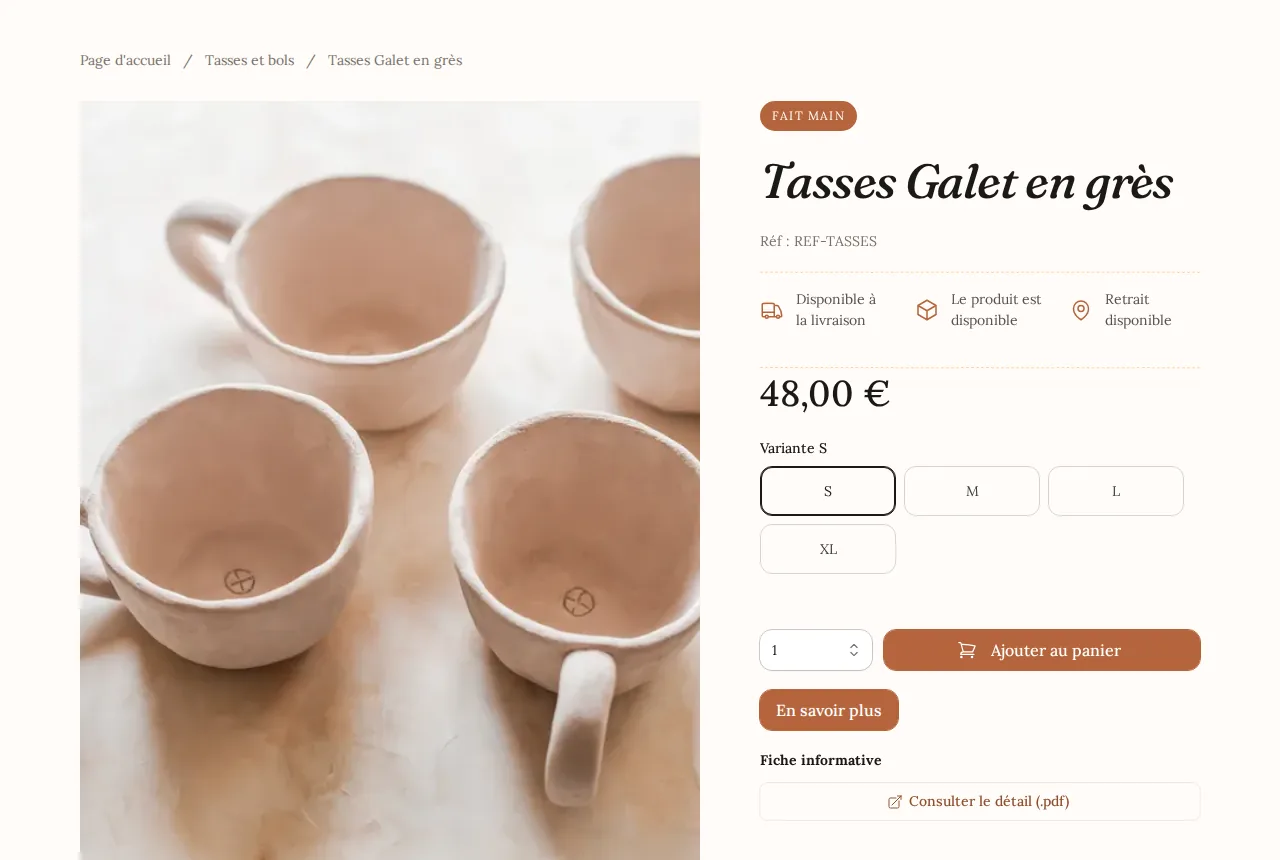
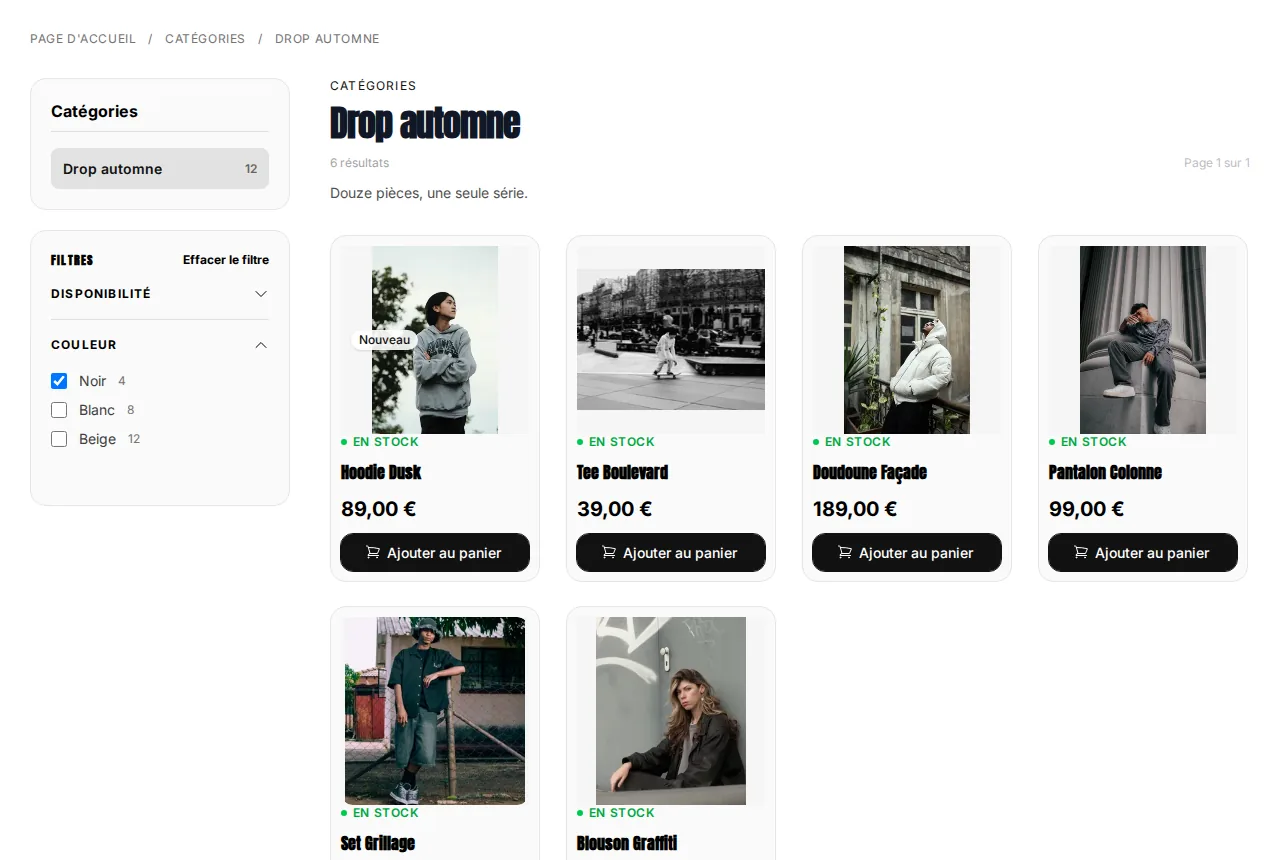
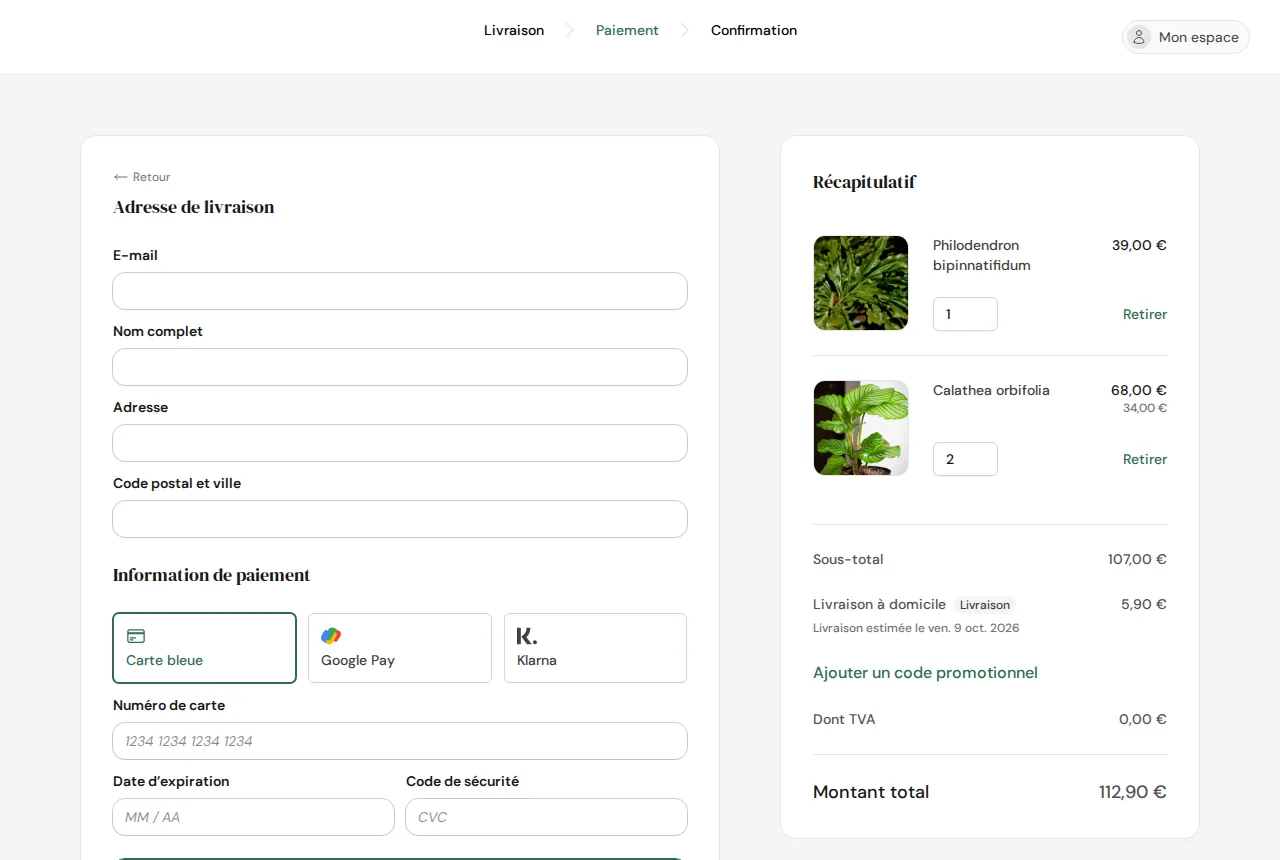
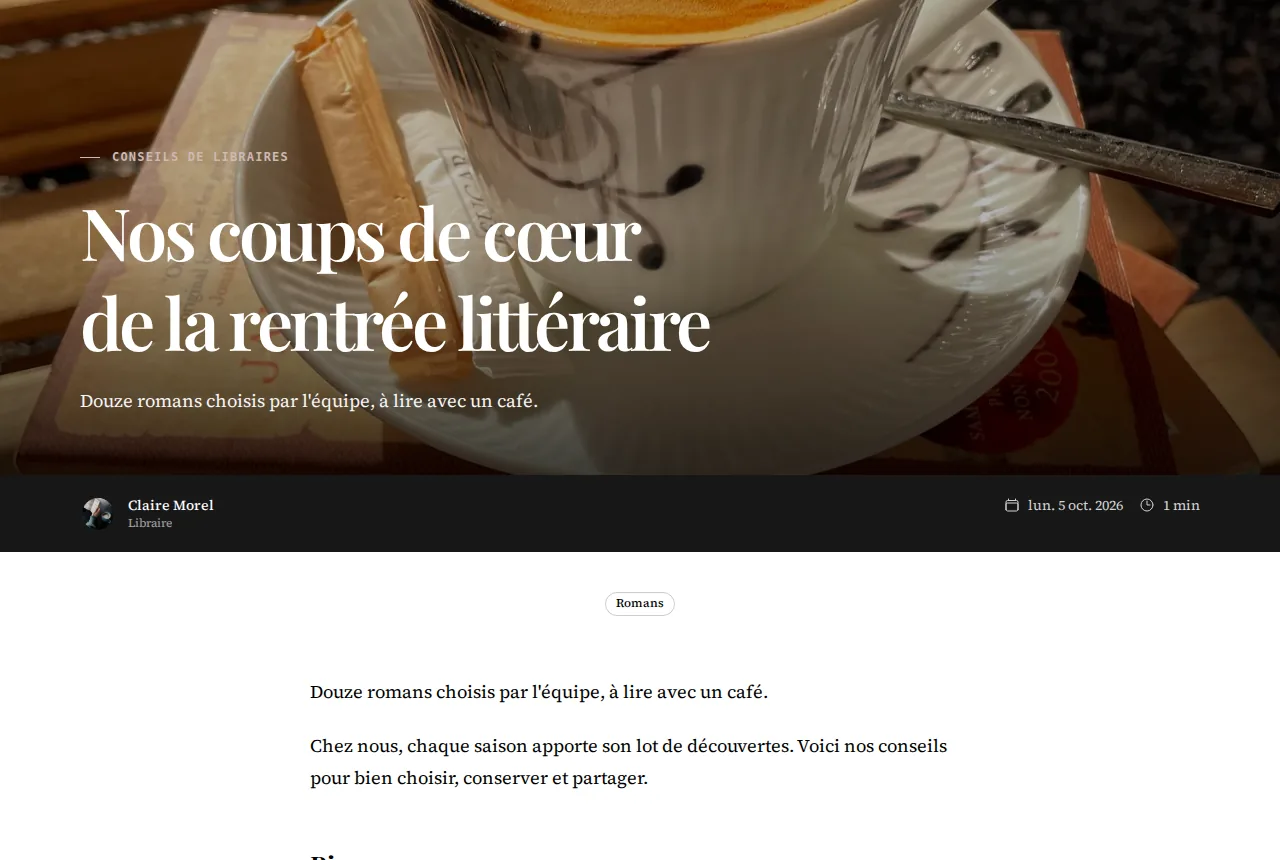
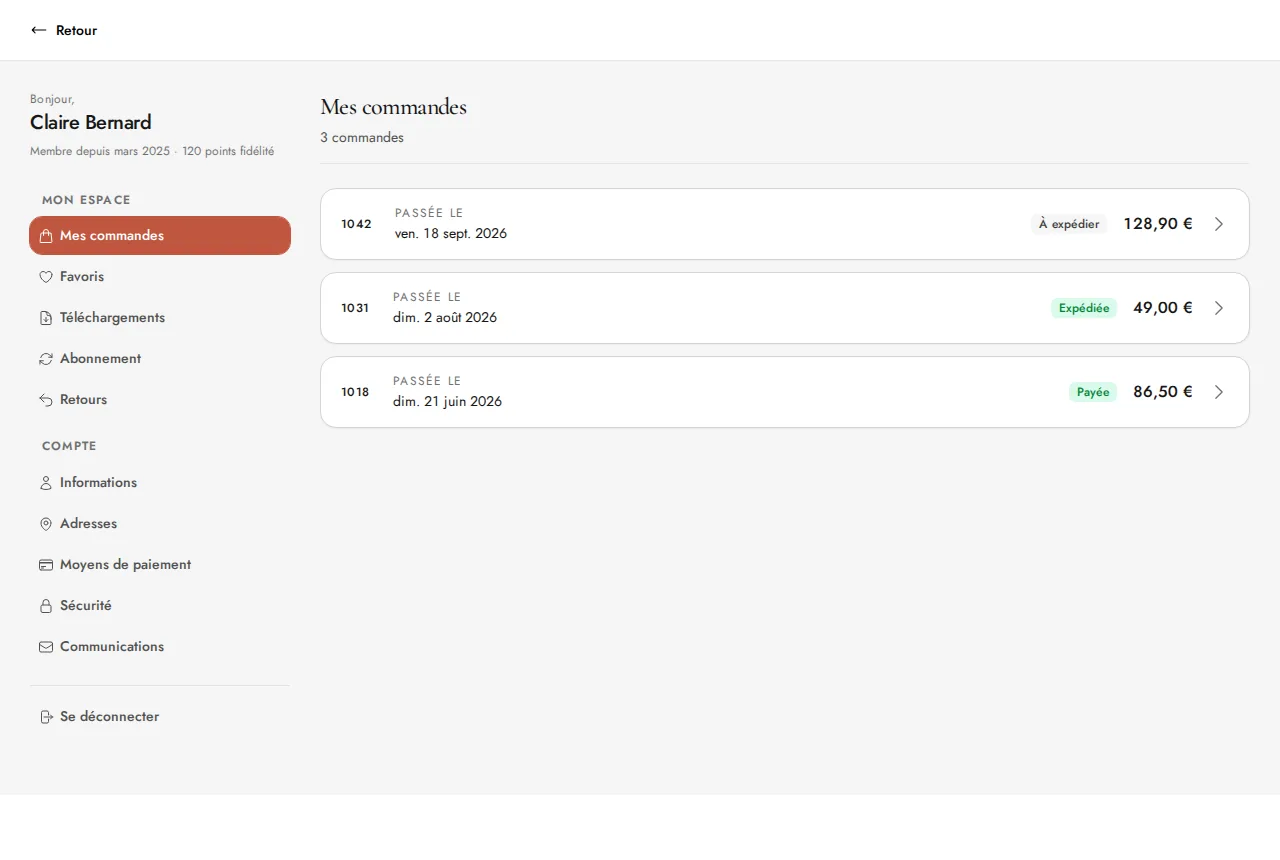
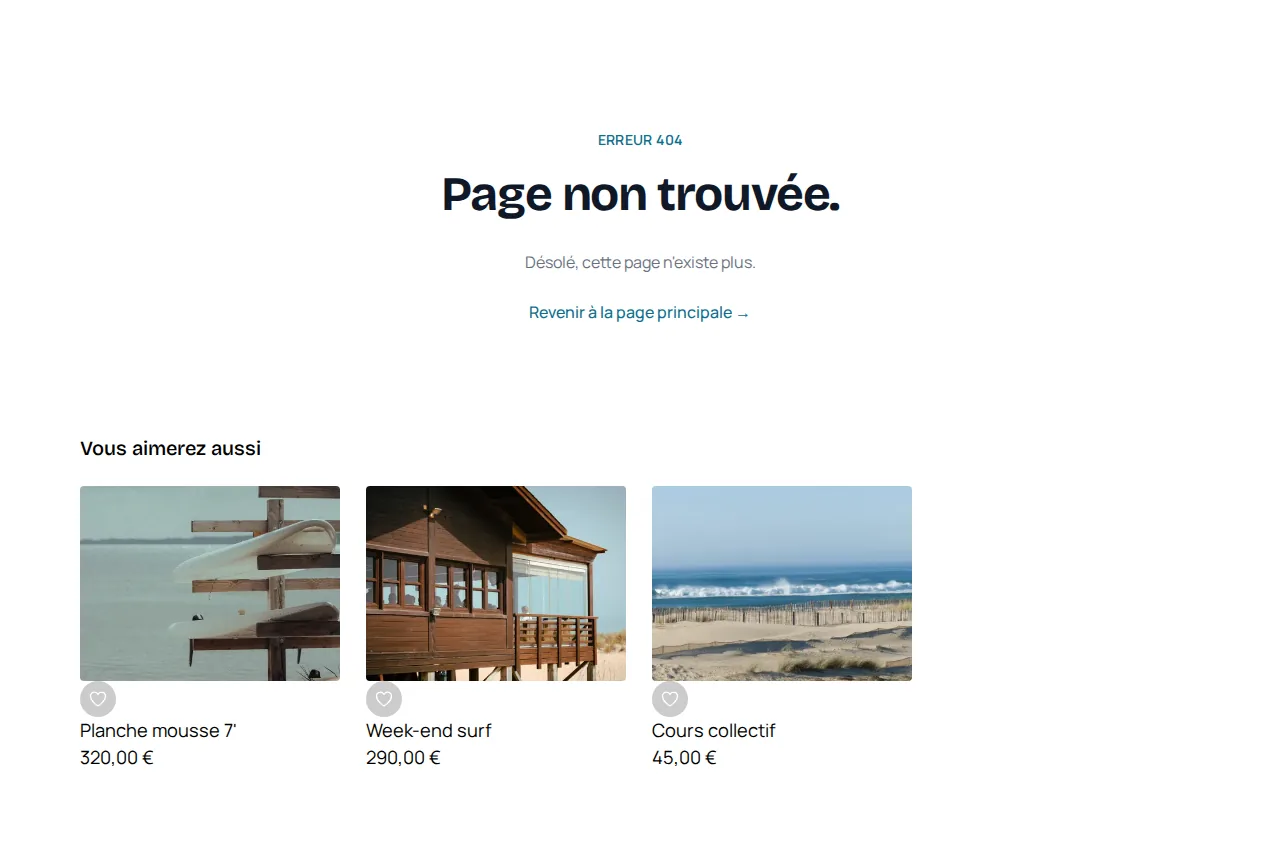
Many of you asked for it: every page of your site can now be designed without limits, with the same editor as your website pages. Add text, images, buttons, videos or forms, place them wherever you like and set their style for desktop, mobile or both. A product page, a checkout step or the customer area is built just like your home page.
The Themes page, right below Pages in the Website menu, gathers by category everything you design outside your website pages:
- General: logo, colors and fonts, applied to the whole site.
- Website: password-protected page, cookie banner, page not found (404).
- Blog: blog article list, article page.
- E-commerce: category page, product page, closed shop message, withdrawal form.
- Checkout: delivery options, order payment, order confirmation.
- Customer accounts: customer sign-in, personal area.
The E-commerce, Checkout and Customer accounts categories appear when your site has a shop.
Each row shows a preview of the page, enlarged on hover, its status (Published or Not published, Customized or Default) and its last change. Filter the list by category or search for a page by name or address, then click its row to open it in the editor. Besides regular blocks, each page has its own elements (sign-in form, product grid, cookie banner buttons) that you place and style the same way. Before publishing, Vivlab checks that the essential elements are present on desktop and mobile, so no visitor gets stuck. A short video introduces the page on your first visit.
A site up to 34% faster




To keep the internet lighter and faster, we slimmed down the sites built with Vivlab. Your site's pages display up to 34% faster and their Core Web Vitals performance score gains up to 10 points. The main content of the page appears sooner (LCP) and the page responds faster to the visitor's actions (TTI). The code every page loads is 43% lighter: features that aren't needed right away, such as the product photo zoom or pop-ups, only load when the visitor needs them.
Images benefit from the same work:
- Images are served as WebP, lighter than JPEG at comparable visual quality, and as JPEG to the rare browsers that do not support it.
- Each image is served at the size it is displayed, based on the layout of your product grids, categories and galleries, on desktop and mobile alike.
- Images visible as soon as the page opens are loaded first.
There is nothing for you to do: these changes apply to all your pages. Checkout, customer account and sign-in pages are now excluded from search engines, which have no reason to list them.
The dashboard gets a makeover
Lists show the essentials under each item's name: a product's photo and categories, a page's address, the devices a pop-up targets. The orders list shows thumbnails of the ordered items, and arrows let you move from one order, coupon or shipping method to the next without going back to the list.
Detail windows are organized in cards. A Status block groups activation, and a Preview block shows the result for your customers, for example on a coupon. The product window groups its options under Sales options, Content and SEO and Shipping and VAT.
Settings pages show their state at a glance, with a badge such as Active, Not configured or Connected. As long as a feature isn't set up, an introduction screen explains what it does and offers to get started. A few examples:
- Taxes: five preset rates and a worked example of the price excluding VAT, the VAT and the price paid.
- Vacations: a Vacation mode switch and a badge showing whether the period is scheduled, in progress or over.
- Emails: the sending address with its connection status, and automatic emails grouped into orders, subscriptions and donations, and customers.
- Domain names and SEO: step-by-step progress for DNS setup and the indexing of your site.
The Loyalty program and Members pages follow the same approach. A member's profile shows their orders, their points with their history and their discount vouchers in two columns.
In the Settings window, the Notifications pane adds the E-commerce notifications group. Your sending address receives a blind copy of the automatic emails sent to your customers, and each email has its own switch to keep or stop that copy. For example, keep the copy of order confirmations, which tells you about each sale, and turn off the one for shipping confirmations.
Assistant Vivlab gets smarter
Assistant Vivlab moves to a newer, more capable AI model to create and edit your pages and answer your questions. There is nothing for you to do: the model managed by Vivlab, used by default (the General pane of your settings), benefits automatically.
In the editor, the assistant carries out more actions for a single request. If a request is too long to finish in one go, it answers with the work already done and you can ask it to continue.
When creating a page, Assistant Vivlab finds your products, categories and blog articles to link to them, and uses the images you attach to your request.
Bring your pages to life, make it rain emojis
The new Effects section of the style panel animates your elements: full rotation, swing, twinkle, pulse, shake or bounce. Play the effect in a loop or once on hover, and adjust its intensity, cycle duration, direction and motion.
Sections and containers can also get Rain: stars, hearts, snow, confetti, leaves, flowers or up to 12 emojis of your choice fall over your content. Adjust the density, speed, size, opacity and perspective, pick a straight or wavy fall, in front of or behind the content, with a fade at the end of the fall.
Custom cursors, introduced in September, are now available to every account. In Logo, colors and fonts, pick one of 20 cursor designs or upload your own, with an optional trail.
Browse the guides for your account and your orders to discover the new screens. A question? Write to us from your support requests.