

Settings
The Settings page brings together the settings for the whole site that apply to your entire blog: whether or not the blog appears in public navigation, the title and description shown at the top of the blog's home page, and the image used for shares on social networks.
Come here when you launch your blog for the first time, when you prepare a relaunch, when you change your blog's name or tagline, or when you update the image that represents your blog when a link is shared.
The dashboard is shown in French, with English captions.
Read the video steps
- — Replace the blog title.
- — Check the new title, then save.
- — The title is saved in the blog settings.
General
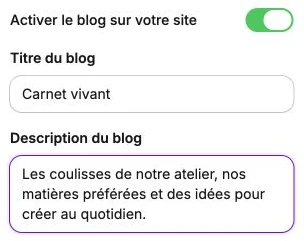
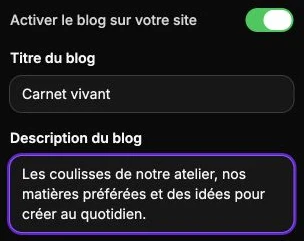
This section controls the identity and visibility of your blog. Your changes are saved with Save at the top of the page.
- Enable the blog on your site: controls the blog's presence in public navigation. Disable it if you don't publish yet or if you're preparing a relaunch: existing articles stay in the dashboard but are no longer reachable by visitors.
- Blog title: title shown at the top of the blog's main page.
- Blog description: tagline placed below the title, visible on the blog's home page.
While the blog is disabled, the page opens on a presentation screen: the Turn on my blog button flips the switch and reveals the settings, you then just have to save.
Share image
This section lets you set the image shown when a link to your blog is shared on social networks. Choose a representative image in landscape format (1200 × 630 px recommended) for clean rendering on Facebook, X (Twitter), and other platforms.
Preview
The Preview section shows in real time the public rendering of the blog's home page as you make your changes. Use the resolution selector to switch between desktop and mobile views and verify that your content displays correctly on both formats before saving.