Codes
Use Codes to add instructions that apply across your site. CSS changes its appearance; JavaScript can add behavior or connect a tool from another service. This is useful when the standard marketing extensions do not support the tool you need. This advanced feature requires some knowledge of website code.
Come here when you need to add CSS that the themes don't cover, when you want to integrate a third-party script (chat widget, A/B testing tool, specific advertising pixel…), or when you want to temporarily turn off an existing code without deleting it.
The dashboard is shown in French, with English captions.
Read the video steps
- — In Codes, click “Create code”.
- — The snippet is active and uses CSS by default.
- — Click the name field, then enter Badge promo.
- — Click the editor and add a rule scoped to .promo-note.
- — The rule slightly adjusts the badge letter spacing.
- — Click “Save”.
- — The CSS snippet is saved and visible.
- — Badge promo appears as CSS with Visible status.
Codes
This section lists every custom code already added to your site, with its Name, its Type (CSS style or JavaScript) along with its location (head or body), the Last edited date and its Status (Visible or Inactive).
Click on a row to open the code and edit it; the Enable / Disable switch at the top of the form turns the code off without deleting it. When you select several rows, the More actions menu lets you activate, deactivate, delete or export them to a CSV file.
To add a new code, click Create a code. Choose the Code type (CSS style or JavaScript) and its Code location (head or body tag), name your code so you can find it later (the description is optional), then paste its content into the editor. Save to apply the code to your site immediately.


Caution
An error in an injected code can break your site's display or block its operation (blank page, scripts crashing, broken forms). Test your code before saving, and disable it immediately if a malfunction appears live, rather than trying to fix it under pressure.
Not a developer?
This section assumes minimum HTML, CSS and JavaScript skills. If you want to add a third-party script (chat, pixel, analytics) without coding, first check Marketing extensions: the most common services already have a dedicated field there. For a specific case not listed, you can open a Support request: we can help you set it up.
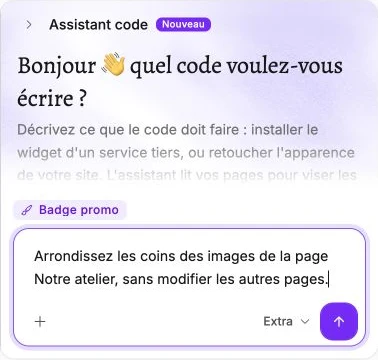
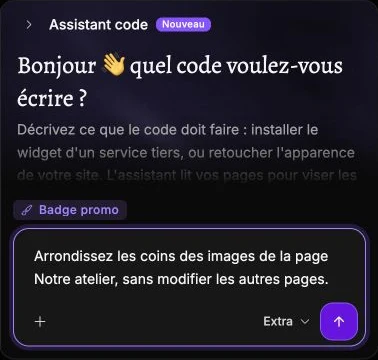
Ask Assistant Vivlab for code
The Assistant code button opens a conversation beside the editor. Describe the result you want and specify the pages concerned. Review the proposed code before saving: the conversation does not save the form for you.