

Manage my plan
This page shows your Vivlab plan, the payment method used to pay for it and the address printed on your invoices.
Come here whenever you want to change plan, update your card that has expired, correct your billing address for your accounting, or cancel your subscription. Invoices already issued are viewed and downloaded from My invoices. To earn credit to apply on these invoices, see Referral program.
Your subscription
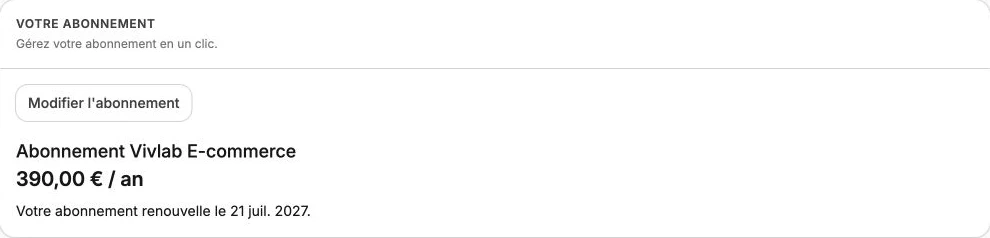
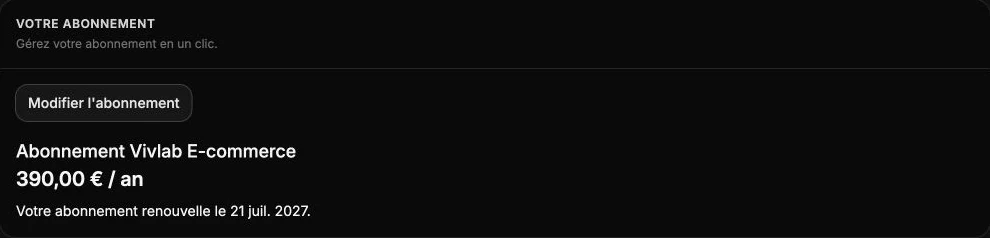
Shows the plan you're currently subscribed to, its price, how often you pay and the next billing date. It's the starting point to change plan or see whether a cancellation is in progress.
If you don't have a subscription yet, start the subscription process from this section. Otherwise, click Change subscription to compare plans and switch to another one. An upgrade applies immediately, with an adjustment based on how much of the paid period remains.
A move to a lower plan (or from yearly to monthly) is scheduled for the end of the current period: nothing to pay today, a message reminds you of the date the change takes effect, and Cancel the change lets you stay on your current plan.
If you've requested a cancellation, the end date of access is reminded and you can still change your mind with Reactivate subscription.
Payment methods
This section shows the payment method used to charge your subscription: the card with its brand, last four digits and expiration date, or the SEPA Direct Debit with the last digits of the IBAN.
You can save several payment methods to reduce the risk of a failed charge. Click Update to add a new card or replace the payment method saved.
Caution
Always keep at least one valid payment method. If the charge fails (expired card, limit reached, opposition…), your subscription falls into unpaid status and your site can be suspended until the situation is fixed. Plan ahead to replace the card before its expiration date.
Billing address
The address entered here appears as is on every one of your invoices. Update it whenever your registered office changes, your company name evolves, or your accountant needs a different billing email.
Click Edit to make the fields editable, fill in the Billing email, the name, the phone and the full address, then click Save. Cancel restores the previous values. The email entered will receive every invoice and notification linked to billing.
Cancel your subscription
This section only appears when you have an active subscription with no cancellation already scheduled. It lets you stop the automatic renewal at the end of the current period.
Click Cancel subscription, read the warning that reminds you that your site will no longer be reachable after the end of the period (with progressive loss of your SEO), then confirm. Your subscription stays usable until the indicated date, and you can change your mind anytime via Reactivate subscription in the Your subscription section.