

Referral program
The Referral program window lets you activate your referral program, share your invitation link and track the credits accumulated thanks to your referees. Open it whenever you want to invite a friend or a peer to join Vivlab, grab your link to drop into an email or onto social media, or check the amount of available credit.
A referee is someone who joins Vivlab through your invitation. Credit is an amount deducted from your Vivlab bills; it is not a bank payment. The eligibility, waiting period and expiry rules are explained below.
You can reach it from several places: the Referral entry at the bottom of the side menu or in your account menu, the Refer a friend button on the dashboard, or the Share my code block on the My account page.
How does it work?
The principle is simple: your referee saves on their subscription, and you are rewarded every time they pay.
| Who | What they get | When |
|---|---|---|
| Your referee | 20% off their first payment, monthly or annual | Once only, at signup |
| You | 20% credit on the amount they actually pay | Each time a payment is collected, for as long as they stay subscribed |
Share your invitation link with your contacts. When your referee opens it, they discover the offer and their discount is applied automatically when choosing their plan: there is no code to type in. As soon as their payment clears, your credit is generated automatically.
The referee discount in detail
The 20% discount applies once only, on the first payment: from the next billing cycle on, your referee pays full price. On an annual plan it applies to the full year's payment, which makes it the most rewarding saving. It is reserved for a new account and does not stack with a trial or any other ongoing promotion.
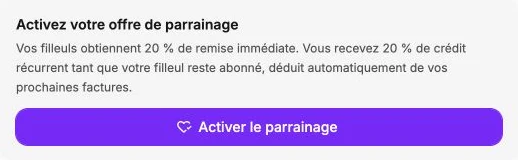
Activate your referral offer
The first time you open the window, it invites you to activate your referral program. Click Enable referral: this action is only available if you have an active subscription. Once activated, your invitation link appears immediately, and you never have to repeat this step.

Your invitation link
Once referrals are activated, the window shows your invitation link along with a QR code. Copy the link with Copy to send it by email, by message or on social media, or have the QR code scanned when you meet in person. The link is permanently valid and can be shared as many times as you like.
Track your credits
The window shows your Available credit and the credit still Pending.
What you earn. You receive 20% of the amount your referee actually pays, calculated after their own discount and always as credit, never as cash. This credit is granted each time a payment is collected, not when they sign up: your referee's payment must clear first for the credit to appear. You keep earning it for as long as they stay subscribed.
Pending credit. A freshly earned credit isn't usable right away: it stays pending for 14 days, the time to validate your referee's payment. You can see it on your account, but it can't yet be deducted from an invoice. If, during those 14 days, your referee cancels and gets refunded, the matching credit is simply cancelled, with no impact on your balance. After that, it becomes available.
How it is used. Once available, the credit is automatically deducted from your next Vivlab invoice, with nothing to do on your side. If it exceeds the invoice amount, the surplus is kept and carried over to your following invoices. If it falls short, the remaining balance is charged normally to your payment method. You can also let your credit fund the move to a higher plan.
Active subscription required
You must keep an active Vivlab subscription to earn and receive your referral credits. If you cancel, you stop earning them and any still-pending credits are forfeited.
Non-transferable credit
Your credits stay on your Vivlab account: they can be neither transferred to another account nor converted to cash. They can only be used to pay your Vivlab subscriptions and invoices.
Credit validity
Unused credits expire automatically after 18 months. In practice, your available credits are deducted from your next invoices as soon as possible, so they're usually spent well before then.
Good to know
If a referee gets refunded during the 14-day window, the still-pending credit is cancelled. Once available, the credit is yours to keep.
Credit history
Every movement generated by your referrals can be viewed on the My account page: the Available credit block shows the three latest movements, and the clock icon opens the full Credit history with the date and amount of each one. Useful to trace where any specific credit comes from, follow the deductions applied to your invoices, and spot any adjustment after a referee is refunded.
Privacy
The history is limited to the date and amount of each movement: neither the name nor the contact details of your referees appear in it.
Frequently asked questions
When is my credit granted?
Your credit is generated only when your referee's payment clears, then on each subsequent payment collected. Nothing is credited when they sign up. It first appears as pending for 14 days, then becomes available.
What does a "pending" credit mean?
Every credit you earn stays pending for 14 days before becoming available. During that window you can see it on your account but can't use it yet: it serves to validate your referee's payment.
If they cancel and get refunded within that period, the pending credit is cancelled, with no impact on your balance. Once the 14 days have passed, the credit becomes available and is deducted automatically from your invoices.
How long will I earn credit?
You receive 20% credit on each of your referee's payments, for as long as they stay subscribed and your own Vivlab subscription is active. The day your referee cancels, the credit you have already earned remains yours, but you stop earning new credit. Likewise, if you cancel your subscription, you no longer receive credits.
Can I withdraw my credit as cash?
No. The credit stays on your Vivlab account: it is neither transferable nor convertible to cash, and can only be used to pay your subscriptions and invoices.
Can my referee combine the discount with another offer?
No. The 20% discount is reserved for a new account and does not stack with a trial or any other ongoing promotion. It applies to the first payment only.
What happens if my referee gets refunded?
If the refund happens during the 14-day window, the still-pending credit is simply cancelled, without touching your balance. After that window the credit is final: it stays on your account even if your referee is refunded later.
Do my credits expire?
Yes. Any unused credit expires automatically after 18 months. In practice, your available credits are deducted from your next invoices as soon as possible, so they're usually spent well before then.
How many referees can I refer?
As many as you like: your invitation link is permanently valid, and each active referee earns you credit independently of the others.