

Abandoned carts
An abandoned cart contains items a visitor added without completing payment. Each row shows the customer, the number of items and the cart amount. Use this page to see how many sales were left unfinished, identify customers to contact again, check whether a reminder was sent, or open a cart to see what the customer planned to buy.
Each row shows the Customer (their email, or the Member or Guest label depending on whether they have an account), the number of Items, the cart Total, the Recovery status, the date of the last addition (Abandoned) and the creation date (Created). Click a row to open the cart details.
INFO
Abandoned carts are part of the Business and Confort plans. Without one of them, the page shows an invitation to upgrade; you change plan from Manage my plan.
Members and guests
The Type filter splits carts by customer. Member is a customer signed in to their account, whose cart is tied to their profile. Guest is a visitor without an account, identified by the email they entered at checkout, when they got that far.
Automatic recovery
The Recovery column shows where the reminder sent to customers who abandon their cart stands. Once recovery is set up, each eligible cart shows the time left before its reminder, counted down in minutes then hours, or Soon when it is about to go out. The Sent badge appears once the email has been sent, with the time elapsed since.
Only carts belonging to a member who agreed to receive these reminders are sent one (the Cart reminders switch on their profile), and only if they hold at least one item. Each cart is reminded only once. Guest carts never get a reminder: a visitor without an account has not given their consent, and the CNIL forbids emailing them without that prior agreement.
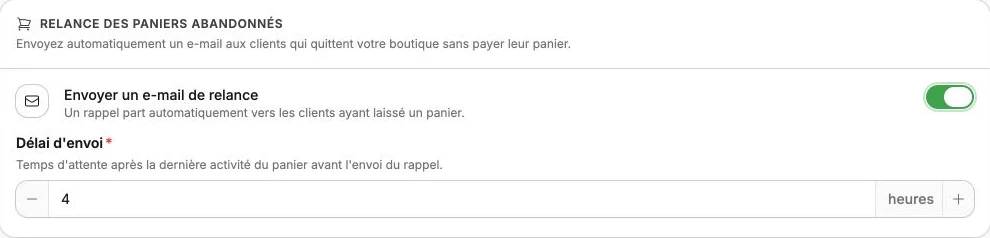
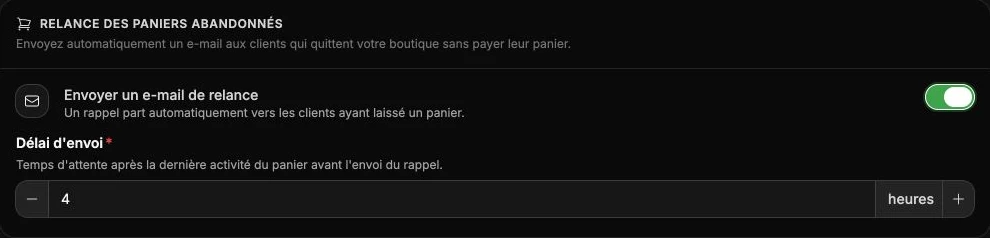
You turn this recovery on and tune it from your member area Settings: a switch to enable it, then a wait time after the cart's last activity. While it is disabled, a message at the top of the list tells you so and links you there.
Cart details
Click a row to open the Cart details, which bring together three things:
- Customer: the visitor's email, or the member's profile when the cart is tied to them. The View member button then opens their full account.
- Items: the products left in the cart, with their image, options, quantity and unit price.
- Summary: the number of items, the discount code applied if any, the Total, the creation date, the last activity and the recovery status.
These details help you understand what the customer was about to buy and, if needed, reach back out or adjust your offer.