

FAQ
The FAQ element shows a list of questions your visitors expand with a click to read the answer. Only one answer is open at a time: expanding one closes the previous, and clicking an open question closes it. It's the classic block for a contact page or a product page to handle recurring questions ("What are the delivery times?", "How do I return an item?") without stretching the page.
FAQ
The side panel lists the questions in the order they appear on the page.
- Click the Create button to add a pre-filled question ("New question"), which expands right away for editing.
- Drag a question by its handle to change the display order.
- Each question's menu lets you Edit, Duplicate or Delete it.
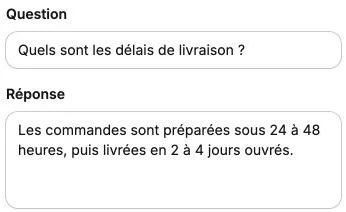
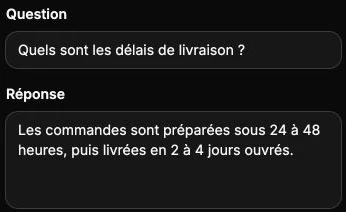
Click a question in the list to expand its settings; the question opens at the same time on the canvas, which lets you check how the answer renders:
- Question: the label always visible, displayed in semi-bold.
- Answer: the text revealed on opening. Line breaks typed here are kept on display.
Display
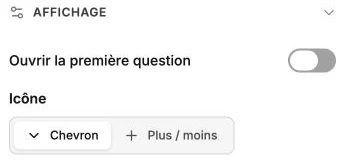
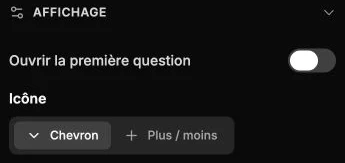
- Open the first question: the first question in the list is expanded when the page loads. When disabled, every question starts closed.
- Icon: the indicator shown at the end of each question. Chevron rotates upward on opening; Plus / minus turns the plus into a minus. The icon follows the text's color and size.
- Question color and Answer color: override the color set in the text style, for example black questions and gray answers. Leave these fields empty to keep the text color.
Style
The style panel gathers the text style of questions and answers, the background, borders, corner radius, shadow, inner margins, visibility and transitions. The thin line separating the questions automatically picks up the text color.