

Before/after image
The Before/after image element creates a visual comparison between two images placed one over the other. The visitor moves a center slider to gradually reveal the second image. It's a format very common to show a transformation (before/after retouching, restoration, treatment, renovation…).
Load the two images
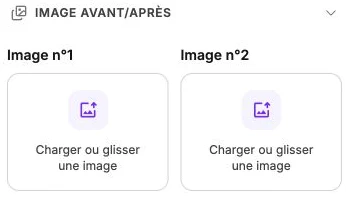
The side panel shows two slots Image #1 and Image #2. For each one:
- If no image is loaded, drag and drop or click to upload a file.
- If an image is already there, the cropping tool appears to adjust the framing. The Change image button lets you replace it.
Both images must share the same proportions (set by the dimensions of the block on the canvas), otherwise the comparison would look visually unbalanced.
Style
The style panel gathers the background, borders, corner radius, shadow, inner margins, filters and transitions. The Mockup subsection is also listed there: the device you pick frames the whole comparison, and the slider stays usable inside the screen.