

Video
The Video element embeds a video hosted on YouTube or Vimeo via its URL, or a royalty-free video from the Pexels library. Vivlab automatically detects the platform from the link and adapts the offered options.
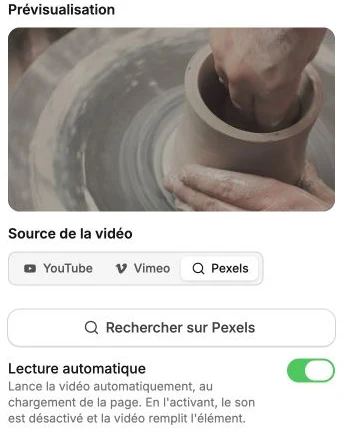
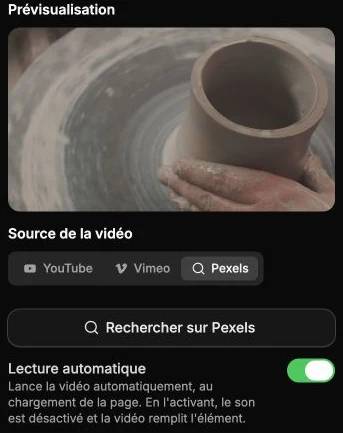
Video source
The Preview zone at the top of the panel confirms that the video is detected. As long as no valid link is set, it shows No video and nothing will appear on the site.
The Video source selector offers three sources:
- YouTube: paste the full URL into the YouTube link field (video page, share link or short format, for example
https://www.youtube.com/watch?v=dQw4w9WgXcQ). - Vimeo: paste the URL into the Vimeo link field (for example
https://vimeo.com/123456789). - Pexels: click Search on Pexels to browse the royalty-free video library. Search by keyword, filter by orientation (landscape, portrait, square), hover a thumbnail to preview it, then confirm with Use this video. The video is inserted with autoplay on.
Autoplay
The Autoplay option starts the video automatically when the page loads. When enabled, sound is disabled and the video fills the element (browsers prevent autoplay with sound to respect the visitor).
YouTube-specific options
When the URL points to YouTube, additional options appear:
- Sound disabled: mutes the sound on play.
- Loop playback: the video automatically restarts at the end.
- Enhanced privacy mode: uses the
youtube-nocookie.comdomain so YouTube records no information on visitors who don't start the video. Recommended to respect privacy and GDPR.
Style
The style panel gathers the background, borders, corner radius, shadow, inner margins, filters and transitions. You can also frame the video in a device mockup (MacBook, iPhone…).