

Animated text
The Animated text element displays a series of texts that follow each other with an animation (typewriter effect, progressive appearance). Ideal for showcasing several successive taglines on a home page.
Text list
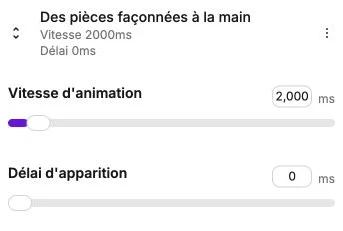
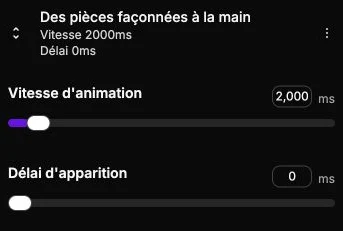
The side panel shows the list of texts that make up the animation. Each item indicates its content, its animation speed and its appearance delay.
Click on a text to edit it, or use the list actions to duplicate, delete or add a new text.
Edit a text
When you click on a text, you can access:
- The content, edited directly on the canvas with the text editor with formatting options.
- Animation speed (500–25000 ms, in steps of 100): duration of the appearance animation.
- Appearance delay (0–25000 ms): wait time before the next text follows.
Animated text style
The style panel offers the same settings as for a regular text: typography, alignment, colors, background, borders, margins, shadow, vertical alignment and transitions.