

Navigation
The Navigation element shows a series of horizontal or vertical links. It's the main block of the navigation bar and the footer: it lists the links to the important sections of the site.
Link list
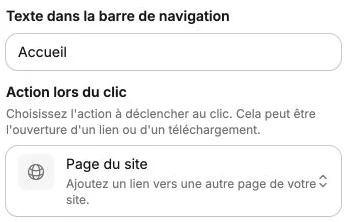
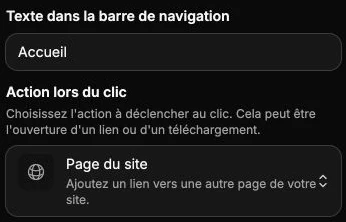
The side panel shows the list of links. Click on a link to edit it, or use the list actions to duplicate, delete or add a new one.
For each link:
- Navigation bar text: the visible label (for example "Home", "Our products", "Contact").
- Action on click: the link target. See the button for the full list of available actions (page, anchor, product, category, external link, email, phone, PDF…).
Navigation style
The style panel lets you adjust the text style of the links: pick their Color and Font to match your theme, and also set the size, case, weight and spacing. The color and font apply to all the links of the navigation at once, for a consistent look.
The panel also gathers the background, borders, shadow, inner margins, positioning (that's where you pick the horizontal or vertical direction of the links) and transitions.
To add a dropdown to your navigation, use the Dropdown menu element instead, which offers sub-items with descriptions.