

Inner spacing
Inner spacing, also called padding, is the space between an element's content and its border. Increase it to leave more room around text or an image inside the block.
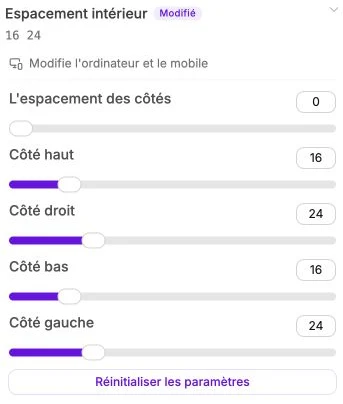
Uniform spacing
By default, a single slider Side spacing changes the top, right, bottom and left at once. It's the fastest setting to give a button, a card or a section more breathing room.
The range goes from 0 to 100 (in desktop-equivalent pixels).
Edit each side
Click Edit each side to expand the four individual sliders:
- Top side: space between the content and the top of the block.
- Right side: space on the right.
- Bottom side: space at the bottom.
- Left side: space on the left.
Useful for shifting a text only to the right inside a card, or giving more space at the top than at the bottom of a section.
Reset
The Reset settings button appears as soon as at least one side has a value. It clears every spacing and reverts to the default value (0).